Skills, Hooks, and Plugins in Claude Code

- Published on
Skills, Hooks, and Plugins in Claude Code
Part of the Agent Engineering Playbook.
The moment Claude Code starts feeling useful, you run into the next problem: repetition. You find yourself typing the same setup prompt, the same review checklist, the same release-note instructions, the same "before you edit, inspect these files first" speech. That is the point where you should stop writing better prompts and start building reusable capability.
Anthropic now gives Claude Code a real abstraction for this: skills.
A Skill Is a Prompt With Structure and a Home
According to the official skills docs, a skill lives as SKILL.md inside a directory such as ~/.claude/skills/<name>/SKILL.md for personal use or .claude/skills/<name>/SKILL.md for project use. Claude uses the frontmatter and the markdown body together. The frontmatter tells it when and how to invoke the skill. The body tells it what to do.
That is a much better model than saving favorite prompts in a notes app. Skills are discoverable, versionable, shareable, and composable. They also support supporting files and scripts, which is the point where "prompt template" becomes too small a phrase for what you are really building.
Here is a simple project skill that I would actually ship:
---
name: release-notes
description: Draft release notes from the current branch changes and recent commits.
disable-model-invocation: true
allowed-tools: Bash(git log:*), Bash(git diff:*), Read, Grep
---

Draft release notes for $ARGUMENTS.

1. Read the changed files and recent commit history.
2. Group changes by user-facing impact, not by file name.
3. Call out risky migrations, breaking changes, and manual follow-up.
4. End with a short validation checklist for QA.
The important fields are not mysterious. description helps Claude decide when the skill is relevant. disable-model-invocation: true is useful for anything with side effects or workflow timing, because you do not want the model deciding on its own that now is a good time to deploy or publish. allowed-tools lets you loosen permissions only while that skill is active.
The skills docs also support argument substitution like $ARGUMENTS, $ARGUMENTS[0], and $0, which is enough to turn a generic workflow into something practical without inventing a whole framework.
Supporting Files Are Where Skills Become Real
The strongest part of the skill system is not the frontmatter. It is the directory.
Anthropic explicitly supports bundling additional files alongside SKILL.md: examples, reference docs, templates, and scripts. That is a big deal. It means you can keep the main instruction file short and move the heavyweight detail to files Claude loads only when needed.
A good skill directory often looks like this:
.claude/skills/security-review/
├── SKILL.md
├── checklist.md
├── examples.md
└── scripts/
    └── scan.sh
This is the difference between "remember my preferred review style" and "run a consistent security review workflow across the team." The first is a preference. The second is infrastructure.
When to Use a Skill, a Rule, or a Hook
This is where teams usually get muddled.
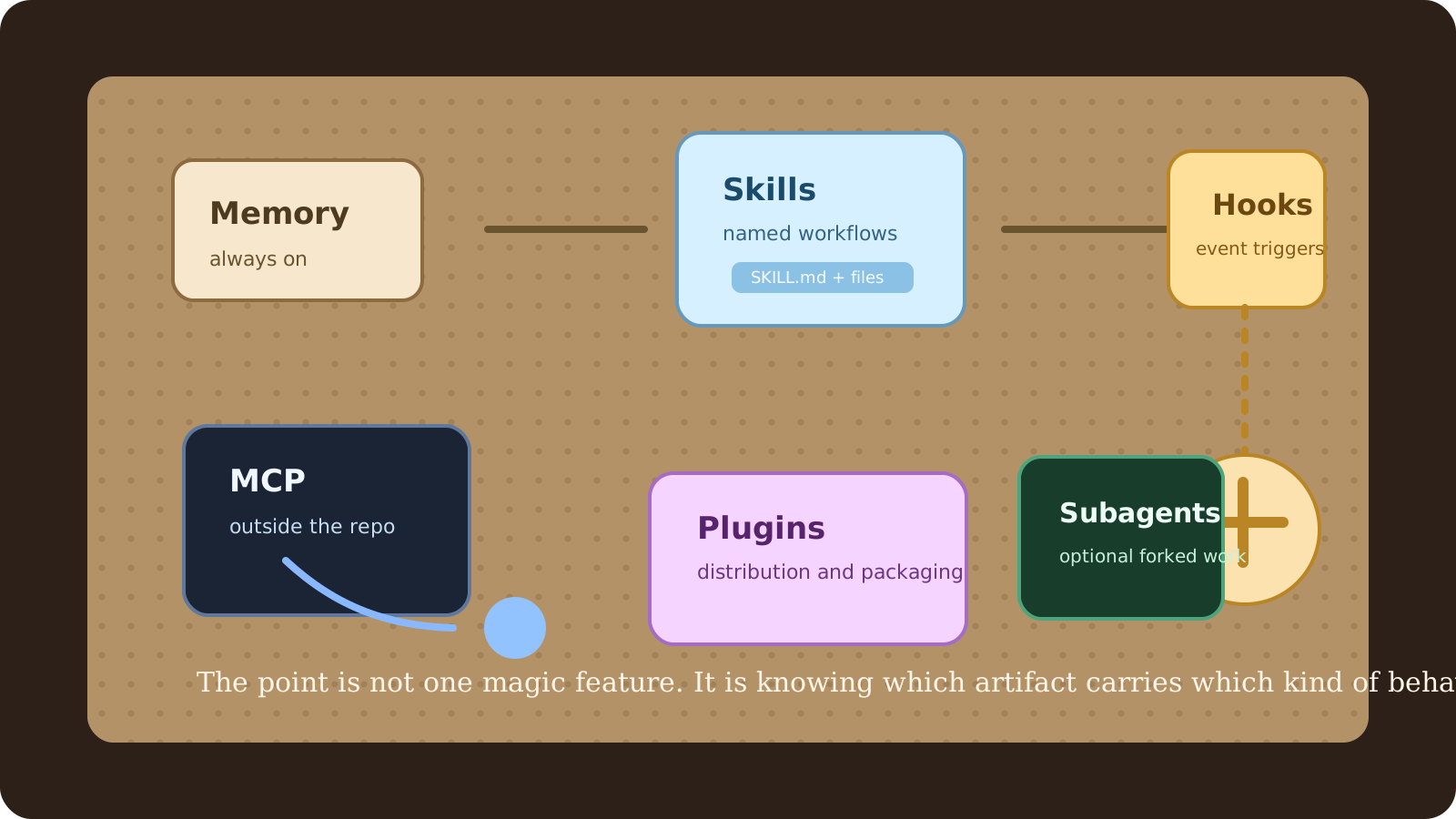
Use CLAUDE.md and imported memory files for always-on guidance: architecture rules, naming conventions, test expectations, and repository map information. Use a skill when you want Claude to load richer instructions only when they are relevant or when you want a named workflow you can invoke directly. Use a hook when the system should enforce or inject something at a specific lifecycle event.
Hooks are not a softer version of skills. They are automation points.
Anthropic's hook reference supports events like PreToolUse, PostToolUse, UserPromptSubmit, Stop, SubagentStop, and SessionStart. Hooks live in Claude Code settings and run shell commands. That means they are appropriate for policy checks, contextual enrichment, or guardrails that should happen whether the model remembers them or not.
If you want to run a formatter or style checker after every file write, a hook is the right tool. If you want Claude to follow a careful deployment playbook when asked, that is a skill. If you want every session to remember where integration tests live, that belongs in project memory.
Here is the kind of hook that earns its keep:
{
  "hooks": {
    "PostToolUse": [
      {
        "matcher": "Write|Edit",
        "hooks": [
          {
            "type": "command",
            "command": "$CLAUDE_PROJECT_DIR/.claude/hooks/check-style.sh"
          }
        ]
      }
    ]
  }
}
That is not magical. It is just disciplined. The hook runs because a file changed, not because the model remembered that you once asked for style checks in a chat thread.
Skills Can Also Run in Subagents
One subtle but powerful feature in Anthropic's skills docs is context: fork. When you set that in skill frontmatter, the skill runs in an isolated subagent context instead of inside the main conversation. That is useful for research, auditing, or exploration tasks that need focused context and should not muddy the main thread.
In other words, a good skill does not just tell Claude what to think. It can also tell Claude where to think.
That matters because skill design is really workflow design. Some tasks want inline assistance. Others want isolation, limited tools, and a crisp summary back. Once you see that distinction, skill authoring stops being a prompt craft hobby and starts becoming interface design for agent behavior.
What "Plugins" Should Mean Here
The older AI tooling world trained people to think in terms of plugins. That word is still useful, but only if you keep it in the right place.
Claude Code's skills docs mention that skills can be distributed through plugins by placing them under a plugin's skills/ directory. That is useful, but it is easy to over-focus on the packaging layer and miss the real abstractions underneath it.
For most teams, the important things are still the primitives:
- memory for persistent project guidance
- skills for named reusable behavior
- hooks for lifecycle automation
- MCP for external tool and data access
- subagents for isolated execution
If you package those into a plugin later, fine. But the plugin is not the design. It is the delivery vehicle.
A Better Standard for Team Skills
The question I ask now is simple: if a new engineer joined tomorrow, would this skill make them faster without teaching them bad habits?
That is the bar.
A good skill should encode good engineering judgment, not just save keystrokes. It should reduce ambiguity. It should point Claude at the right files, the right commands, the right verification loop, and the right output shape. If you cannot explain when a skill should fire and what better outcome it creates, it is probably not a skill yet. It is just text.
If the next problem you are trying to solve lives outside the repository, continue with MCP From First Principles. That is where skills stop being enough on their own.